



I just made this music video, and the lip-sync portion is amazingly impressive.
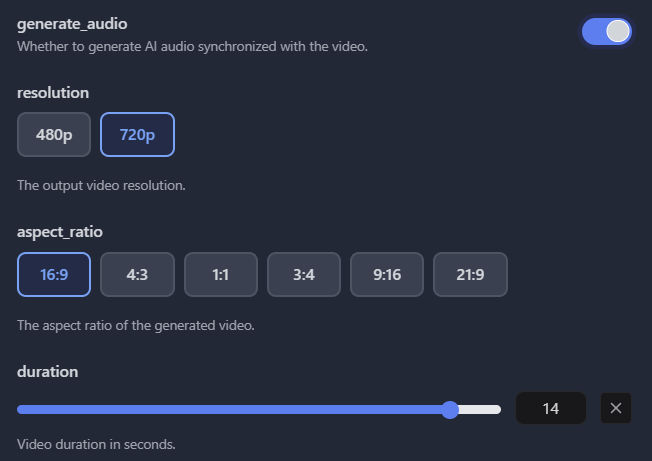
I actually used SeeDance 2.0 Fast at Kie.ai, but you can use SeeDance 2.0 as well and get up to 1080p resolution. For each generation, I used
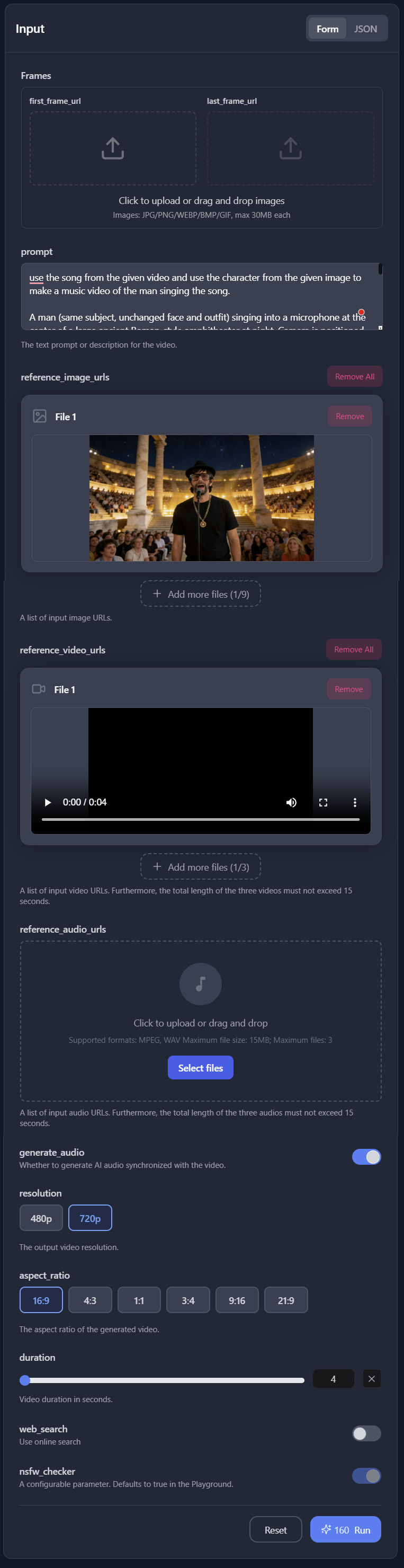
- Prompt
- Reference image (not first-frame image)
- Reference video (this was just a black video containing the audio clip)
- “Generate audio” enabled
- “Web search” disabled
- Duration = duration of reference video
SeeDance 2.0 supports generating videos up to 15 seconds long. But, if you give it a 15s reference video and you want to lipsync a character in it, the lipsync won’t work. So, when generating lipsync videos, always provide a reference video that is no longer than 13 seconds to be safe.
When creating reference videos, make sure the duration is a whole number, not a fraction, e.g., 5 full seconds, not 5.5 seconds. The reason is because in the UI, Kie.ai or another app may round down the duration to the nearest whole second, and if you tell SeeDance you want to generate a 5s video, then it will generate a 5s video, not a 5.5-second video, and your lip-sync video will be truncated. I use Capcut to generate my black reference videos. I put a playhead at a location where I want a segment to begin and end and set a marker at each location, making sure the time ends with :00 (no frames), e.g.
- start 2:54:00
- end: 3:04:00
- duration = 10s
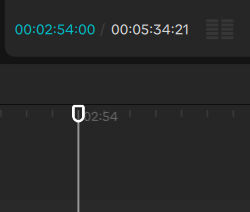
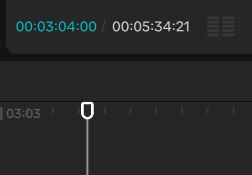
If I really need to split at a location between seconds, like 2:54:09, then make sure the end location includes the same number of frames, e.g., 3:04:09, so you end up with a duration in whole seconds.
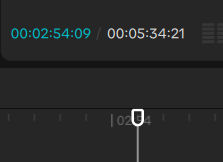
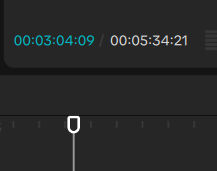
SeeDance 2 supports reference audio, but for some reason, it didn’t lip-sync my reference image, and sometimes it would change the lyrics.
Also, the following method worked well for English audio. It may not work for other languages. If you find that it doesn’t work for your language, then see some options below.
Here’s a screenshot of the inputs.
Below are the inputs and outputs for various lip-sync clips.
Prompt:
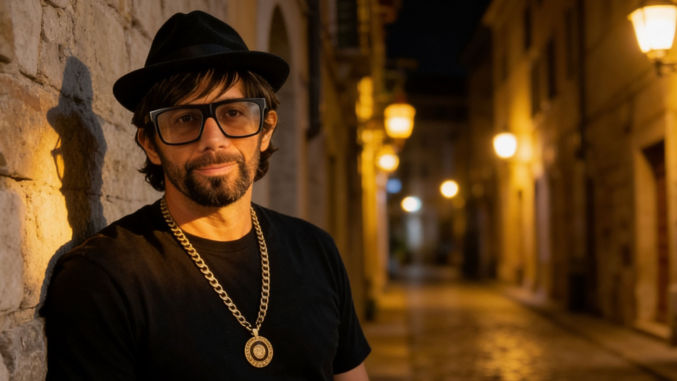
use the song from the given video and use the character from the given image to make a music video of the man singing the song. he sings the exact lyrics in the song as if lip-syncing.
Reference image:
Reference Video:
Output:
Prompt:
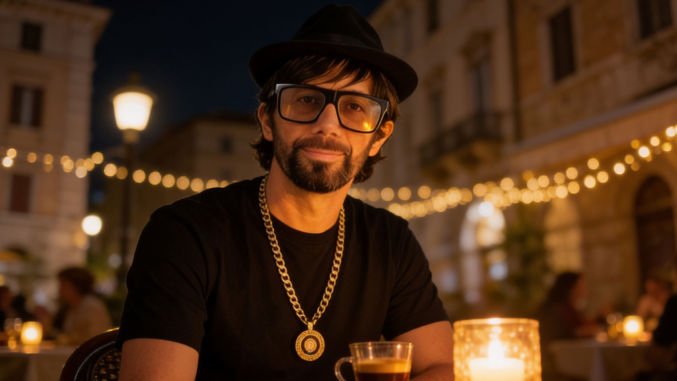
use the song from the given video and use the character from the given image to make a music video of the man singing the song. he sings the exact lyrics in the song as if lip-syncing.
Reference image:
Reference Video:
Output:
Prompt:
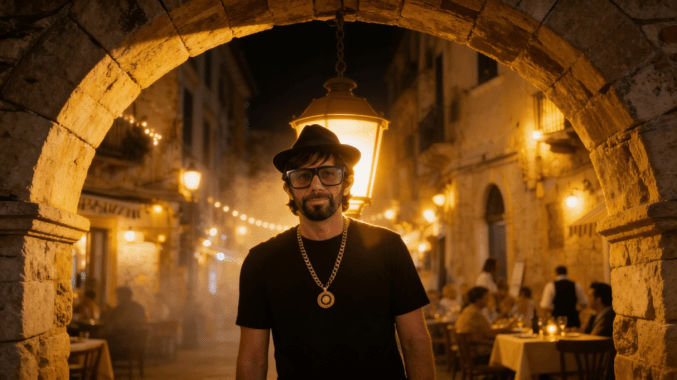
use the song from the given video and use the character from the given image to make a music video of the man singing the song. he sings the exact lyrics in the song as if lip-syncing.
Reference image:
Reference Video:
Output:
Prompt:
use the song from the given video and use the character from the given image to make a music video of the man singing the song. he sings the exact lyrics in the song as if lip-syncing.
Reference image:
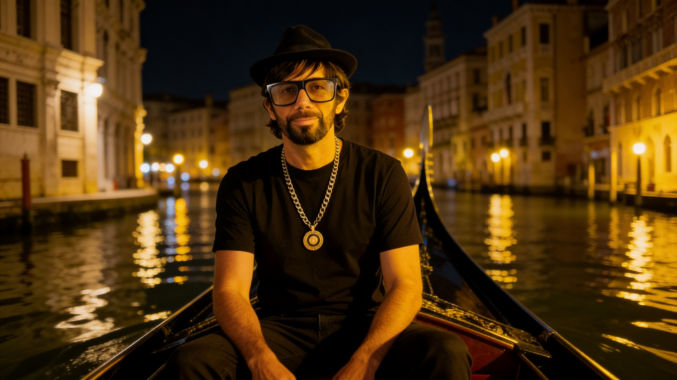
Reference Video:
Output:
Prompt:
use the song from the given video and use the character from the given image to make a music video of the man singing the song. he sings the exact lyrics in the song as if lip-syncing.
Reference image:
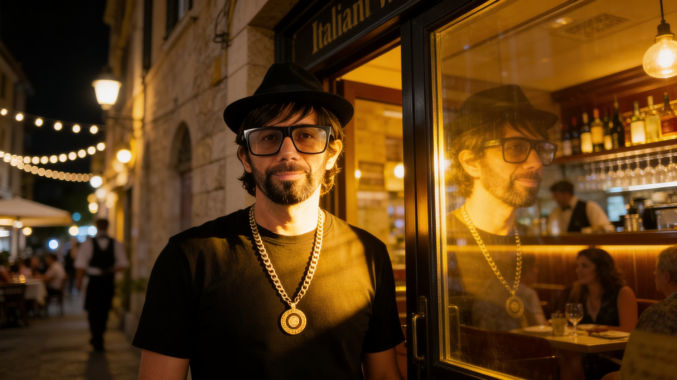
Reference Video:
Output:
Prompt:
use the song from the given video and use the character from the given image to make a music video of the man singing the song. he sings the exact lyrics in the song as if lip-syncing.
Reference image:
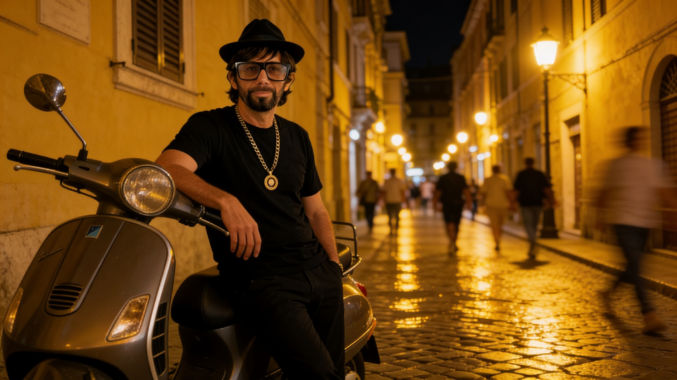
Reference Video:
Output:
Prompt:
use the song from the given video and use the character from the given image to make a music video of the man singing the song. he sings the exact lyrics in the song as if lip-syncing.
Reference image:
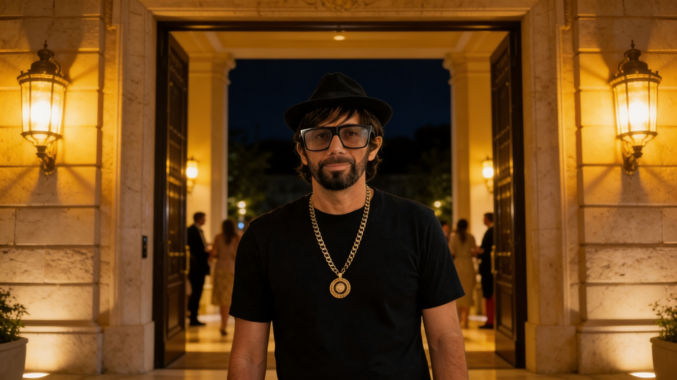
Reference Video:
Output:
Prompt:
use the song from the given video and use the character from the given image to make a music video of the man singing the song. he sings the exact lyrics in the song as if lip-syncing.
Reference image:
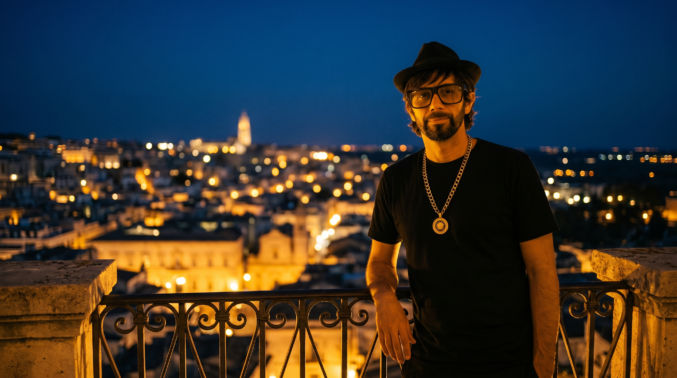
Reference Video:
Output:
Prompt:
use the song from the given video and use the character from the given image to make a music video of the man singing the song. he sings the exact lyrics in the song as if lip-syncing.
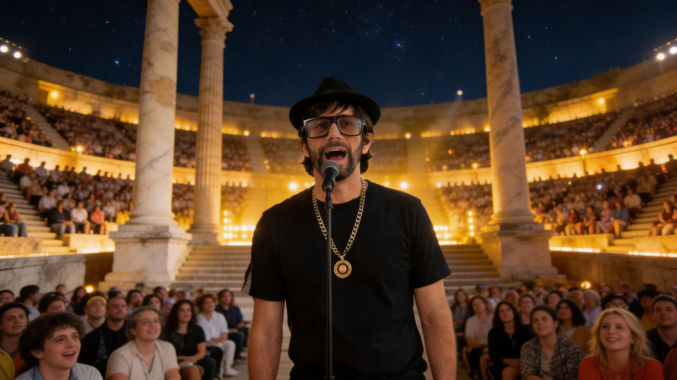
A man (same subject, unchanged face and outfit) singing into a microphone at the center of a large ancient Roman-style amphitheater at night. Camera is positioned at chest height, medium close-up framing, stable and focused on the singer.
The audience fills the stone bleachers behind him, hundreds of people seated and standing, naturally animated: subtle head movements, clapping, cheering, shifting in seats, occasional phone screens glowing, realistic variation in motion without repetition.
Warm golden stage lighting illuminates the singer from the front and slightly below, creating a cinematic glow on his face. Behind the singer, rows of soft amber lights line the steps and columns. Moving stage lights sweep slowly across the audience and architecture, creating gentle light motion across the crowd and stone surfaces.
The night sky is clear with visible stars. Light atmospheric haze adds depth and catches the beams of moving lights. The columns and amphitheater remain stable and realistic.
The singer performs naturally: subtle head movement, mouth lip-syncing accurately, slight body sway, breathing and posture shifts.
Camera behavior: very subtle cinematic push-in (slow, minimal), no drifting or unintended orbit, no zoom jitter. Maintain subject as the clear focal point at all times.
Depth of field: subject sharp, audience slightly softened but still readable.
Lighting style: warm amber/yellow tones only, no harsh white light, no overexposure, cinematic contrast.
Reference image:
Reference Video:
Output:
Here are some similar clips using the same prompt and reference image but different reference videos (for the audio).
Reference Video:
Output:
Reference Video:
Output:
Playing Musical Instruments That Sync to Music
SeeDance 2.0 also seems to support making a video of a person playing a musical instrument in a way that matches the sounds in a reference source. Consider the following:
Prompt:
use the song from the given video and use the character from the given image to make a music video of the man playing the guitar sounds in the song. sync the playing of the guitar to the guitar sounds in the song.
Reference image:
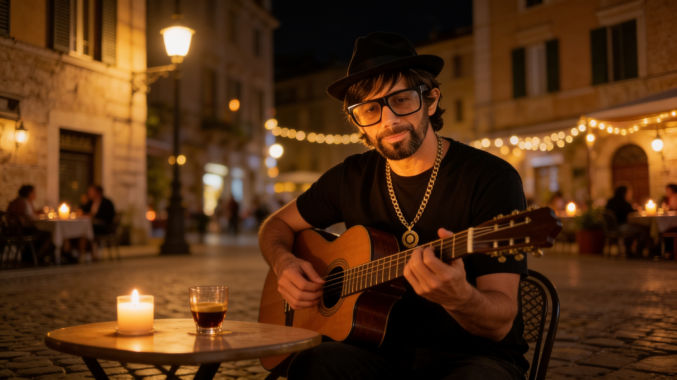
Reference Video:
Output:
Here’s another example.
Prompt: use the song from the given video and use the character from the given image to make a music video of the man playing the saxophone such that the sound of the saxophone in the song is in sync with the playing of the saxophone. the background should be solid green as in the reference image for chroma key background removal later on. the camera remains fixed. do not zoom in or out. the man’s fingers move on the saxophone naturally and in sync with the sound from the song. the man moves his body naturally as he plays the saxophone.
Reference Image: https://www.youtube.com/watch?v=_piqiZkLKgY
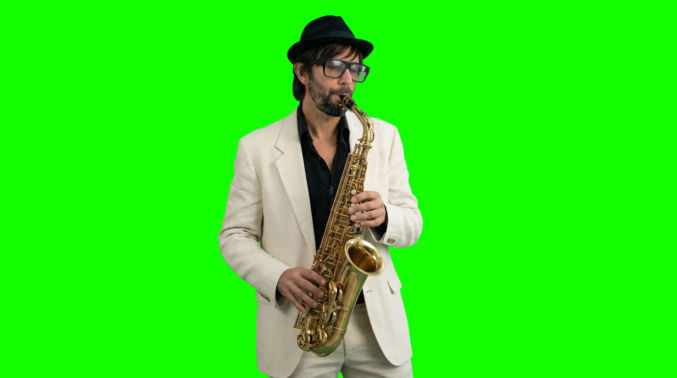
Reference Video:
generate_audio: on
The duration was set to the duration of the reference video. I used SeeDance 2.0 Fast and 720p resolution. I later upscaled the video to 4K using Topaz Video AI.
Result
SeeDance 2.0 Error – output audio may contain sensitive information
If you get an error that says “The request failed because the output audio may contain sensitive information.”, then disable audio generation.

For example, in order to make the following video,
I had to use the following settings in Kie.ai:
Prompt: use the song from the given video and use the character from the given image to make a music video of the man singing the song in front of a green screen, as shown in the reference image. he stands in place and sings the exact lyrics in the song audio as if lip-syncing to the audio with natural face and body movements, but keep his hands beside his body. The camera is fixed and doesn’t zoom in or out and doesn’t pan.
Do not add shadows, floor shadows, lighting gradients, reflections, stage lighting, environmental lighting, or any background elements. Camera locked off and completely static.
Reference Image:
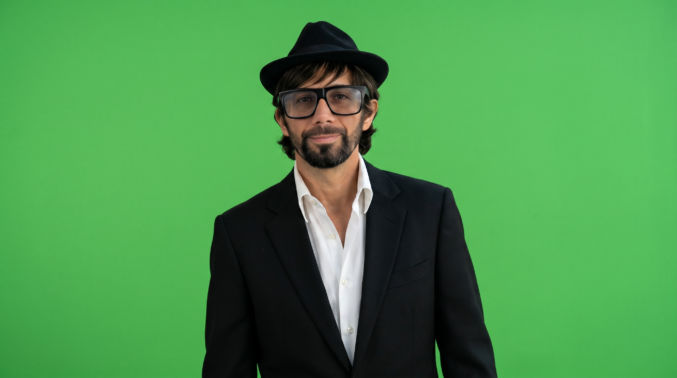
Reference Video: (example)
generate_audio: off
The duration was set to the duration of the reference video. The resulting clip was
I then removed the green background in Capcut to overlay the singer on a series of background video clips.
Singing Lip Sync Videos Using HeyGen
If your song is not in English and SeeDance 2.0 can’t lip-sync it correctly, then use HyeGen with custom motion enabled, as follows.
Log in to HeyGen and create an avatar. You can simply upload a photo of your singer. I used the one below. I put my avatar on a green background so I can chroma key it out.
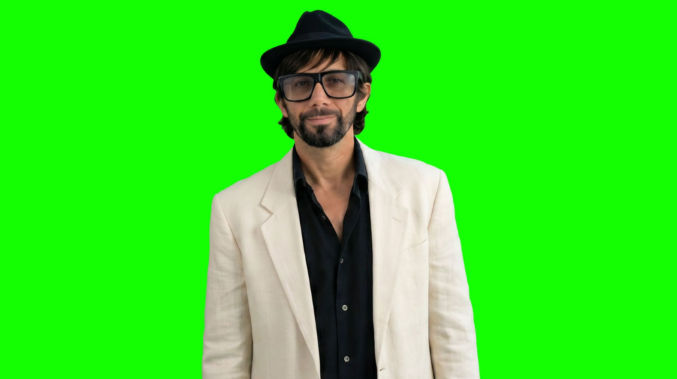
Open Avatar Studio and
- in the Script section on the left, instead of typing your script, upload your song’s audio (mp3)
- in the Avatar and Voice section on the right, under Voice, you can ignore this since you’ll be using the audio you uploaded
- in the Avatar and Voice section on the right, under Motion Engine, choose “Avatar IV”
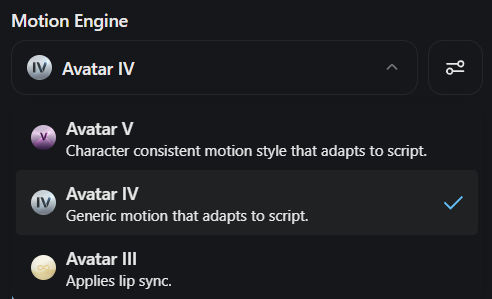
then, and this is important, click the “Advanced Settings” button.
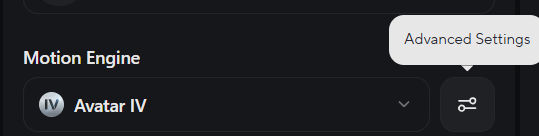
Toggle on “More expressive motion” and enter a custom motion prompt.
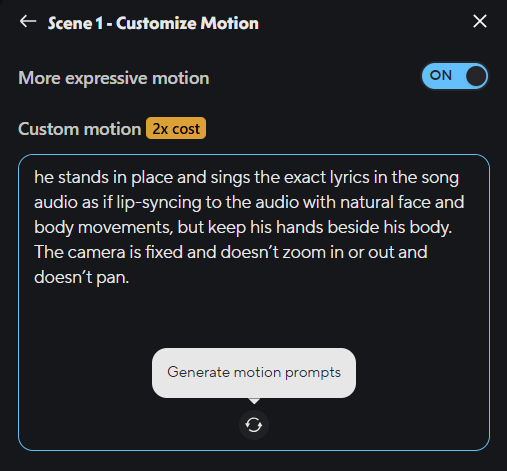
Optionally, you may click the “Generate motion prompts” icon, which will generate motion tags as shown below.
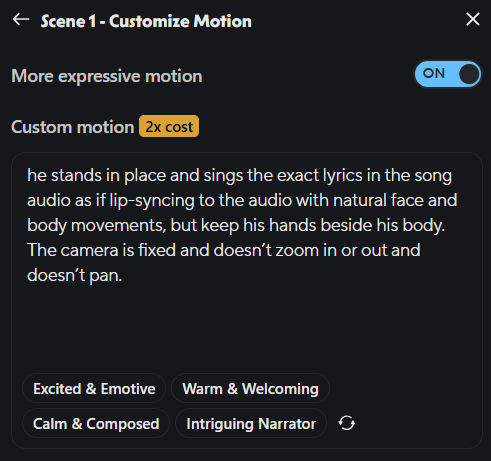
Then, click the Generate button.
Following are examples comparing different settings.
HeyGen LipSync Using Avatar IV WITHOUT Custom Motion
HeyGen LipSync Using Avatar IV WITH Custom Motion
In this example, I didn’t click the “Generate motion prompt” button.
HeyGen LipSync Using Avatar IV WITH Custom Motion
In this example, I did click the “Generate motion prompt” button.
As you can see, in the first example, the avatar doesn’t look like he is singing at all, and in the last 2 examples, the avatar looks more expressive. It may be difficult to tell the difference for such a short clip, but the difference is actually huge when you lipsync a full song, as in the following example.
The lip-sync quality is definitely not as good as SeeDance 2.0, but it seems to be the best option when SeeDance 2.0 doesn’t work for a particular language.
UPDATE 6/5/2026
There’s another way to generate lip-sync videos using SeeDance 2.0, and it supports non-English languages. Here, I’m using Kie.ai. Instead of uploading a black video with audio, I upload an audio and include the lyrics in the prompt.
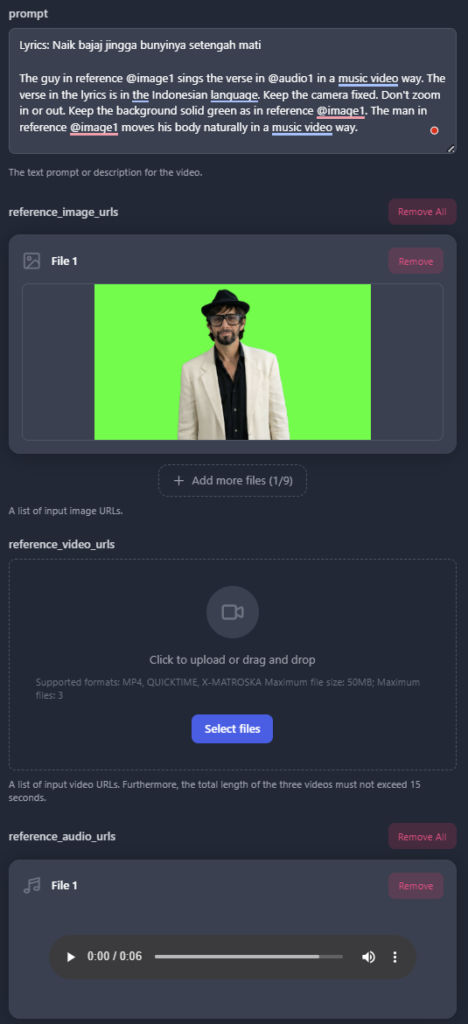
Inputs:
Prompt: Lyrics: Naik bajaj jingga bunyinya setengah mati
The guy in reference @image1 sings the verse in @audio1 in a music video way. The verse in the lyrics is in the Indonesian language. Keep the camera fixed. Don’t zoom in or out. Keep the background solid green as in reference @image1. The man in reference @image1 moves his body naturally in a music video way.
Reference Image:
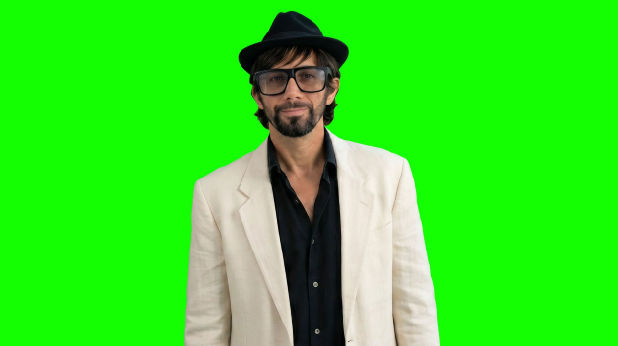
Reference Audio:
Duration: 6s
Output:
Inputs:
Prompt: Lyrics: Naik bajaj jingga bunyinya setengah mati
The guy in reference @image1 sings the verse in @audio1 in a music video way. The verse in the lyrics is in the Indonesian language. Keep the camera fixed. Don’t zoom in or out. Keep the background solid green as in reference @image1. The man in reference @image1 moves his body naturally in a music video way.
Reference Image:
Reference Audio:
Duration: 6s
Output:
UPDATE 6/13/2026 – Actually, using a video reference containing the audio is better than an audio reference. See following example.
Inputs:
Prompt: Lyrics:
Còn tôi như cánh chim
Sẽ bay đi muôn phương
Mang về mầm xanh tươi
use the song from the given video (@video1) and use the character from the given image (@image1) to make a music video of the man singing the song. he sings the exact lyrics in the song as if lip-syncing. The lyrics are in Vietnamese. He sings passionately and moves his body naturally to the sound of the music. Keep the camera fixed. Don’t zoom in or out. Keep the background solid green as in reference @image1.
Reference Image:
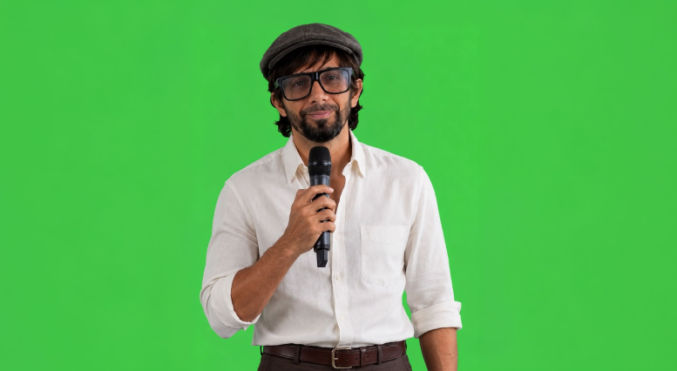
Reference Video:
Duration: 11s
Output:
Create Cinematic, Multi-Shot Lip-sync Music Videos
To create cinematic, multi-shot lip-sync music videos in one SeeDance 2.0 video generation, do the following:
- Give Claude or ChatGPT the lyrics to the whole song so it knows what the song is about
- Create reference video clips in 720p containing audio segments that are 14s or less. Don’t split mid-word.
- For each clip, give Claude the mp3 and the lyrics for that clip, if any, and tell Claude you want a SeeDance prompt to generate a music video. Specifically, tell Claude to give you the shots (scenes) similar to the example below.
Shot 1: Medium-close on the singer at golden hour along a cliffside coast, glowing amber coastline and ocean curving behind him, warm sun on his face. Camera slow gentle push-in. He is the only person in frame.
Shot 2: Medium shot of the singer standing at a coastal overlook, vast golden California coastline stretching into the distance behind him, soft waves and warm haze. Camera slow drift. He is the only person in frame.
Shot 3: Medium-close, front-on, on the singer with the blazing golden sunset coastline glowing behind him, the warmest light of the clip full on his face, a peaceful contented expression. Camera slow push-in. He is the only person in frame.
Then, append it to your base prompt, which is
LYRICS: “[enter lyrics for the clip / segment here]”
use the song from the given video (@video1) and use the character from the given image (@image1) to make a music video of the man singing the song
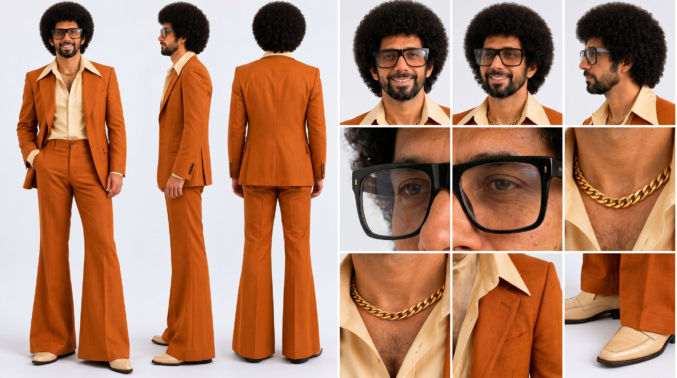
@image1 is the face and identity reference for the lead singer — match his face, afro, beard, and glasses to @image2 throughout, keeping his identity consistent.
The generated audio must match the audio in @video1 EXACTLY and the lip sync must match the vocal segments in @video1 EXACTLY.
4. Add your character sheet as the first reference image (@image1).
5. Add your reference video
6. Specify a duration that matches the reference video duration
Example Character Sheet Image
Example Reference Video
Output