


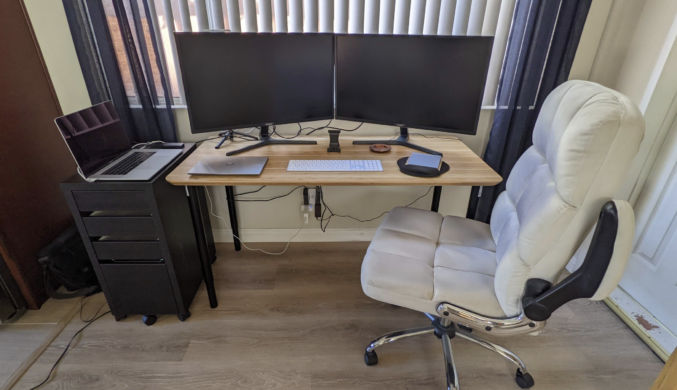
Since the COVID pandemic, I’ve had to have a permanent home office. After trying different setups, I settled on the following, which included two 32″ 4K monitors and a 15″ MacBook Pro. This works great for intense, manual work, but it wasn’t the most comfortable setup, even with that thick-cushioned office chair. It was also annoying to have to get up from the sofa while watching TV just and walk over to my desk to some urgent work or respond to a message that was easier done from my workstation rather than my phone.
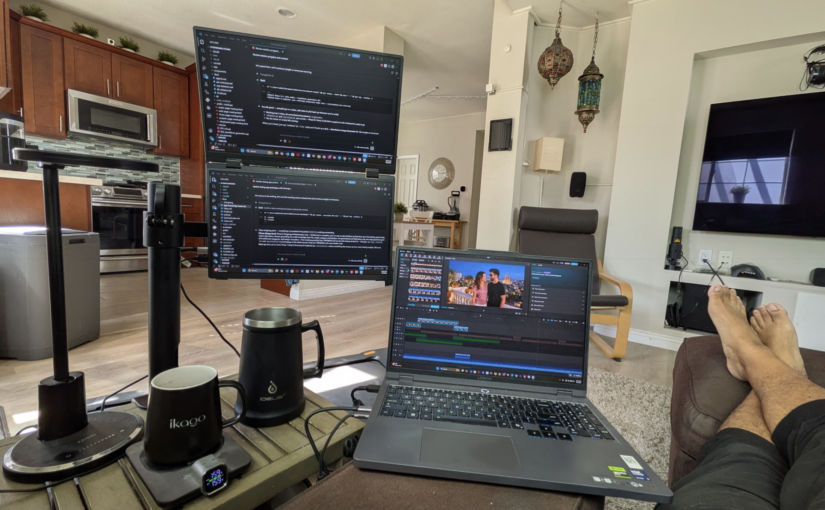
I thought about adding a traditional monitor to my sofa end table, but they are too big. Fortunately, they are lightweight, slim monitors that look like laptop screens that are perfect for mounting to a monitor stand on a sofa end table, as shown below.
Now, I can work from the comfort of my sofa during the day, when I’m doing intense work, and at night, doing casual work while watching TV.
Choosing the right screen and arm was tricky. If you like to copy my setup, here are the products I chose and why.
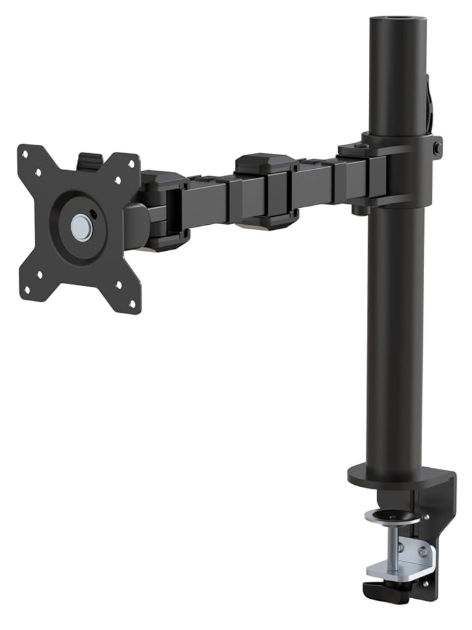
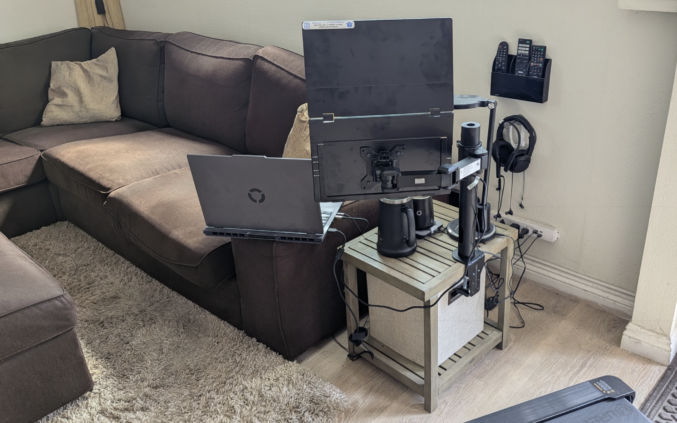
I bought this stand on Amazon for $22.50 (Used – Like New) because it was cheap and versatile. I could slide the arm up and down the pole and rotate the arm at the two hinges and tilt the VESA mount vertically.
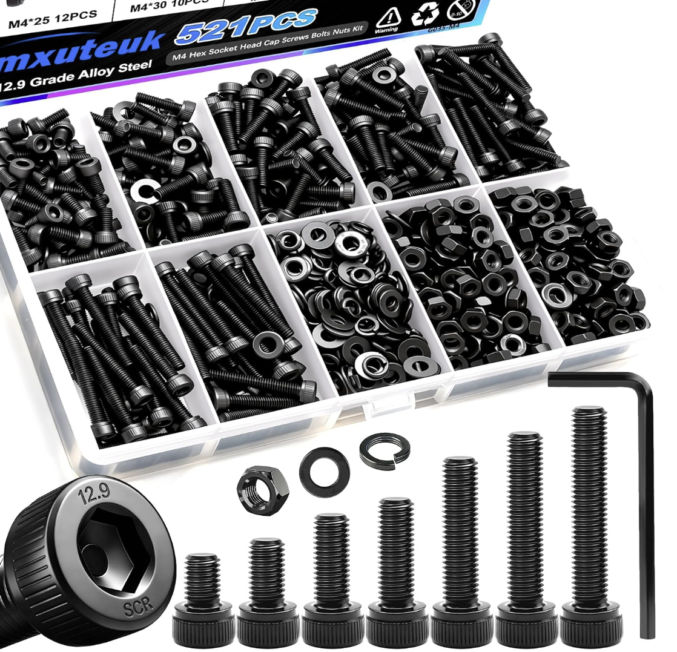
Note: this monitor stand is designed for traditional flat-screen monitors, not thin laptop screens. The provided screws were too long to screw into my screen below. So, I ended up buying M4-0.7 6mm socket cap screws from Home Depot. I used 4 of the provided spacers because even the short 6mm screws were too long.

They’re expensive at Home Depot, so I’m going to buy this assortment from Amazon and return the Home Depot ones.
kksmart Portable Monitor 15.6″ HDMI USB-C VESA Compatible Built-in Speaker, 15.6in
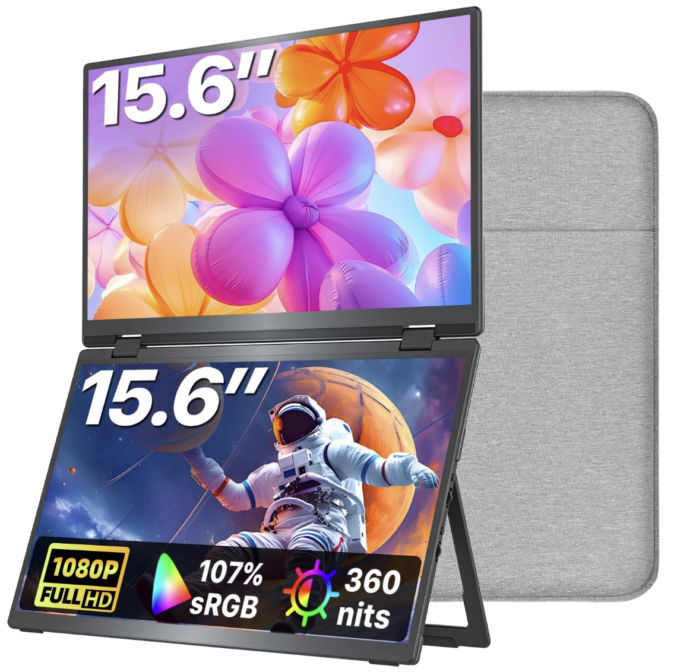
I bought this foldable dual monitor for $300 on Amazon. What’s really impressive is the picture quality and brightness. Text is sharp, but if you want full brightness, you’ll need to plug in the supplied USB power plug. My Windows laptop (bought at Costco) specs are
- Device name LegionRTX5060
- Processor Intel(R) Core(TM) Ultra 9 275HX (2.70 GHz)
- Installed RAM 32.0 GB
- Graphics card NVIDIA GeForce RTX 5060 Laptop GPU (8 GB)
- Intel(R) Graphics (128 MB)
- Storage 1 TB
- System type 64-bit operating system, x64-based processor
I can power both screens with just one USB-C DP (Display Port) cable (supplied).
The dual monitor also comes with a carrying case, which is great for traveling.

I bought the IKEA Kivik sectional sofa because I liked the price, the comfort, the matching ottoman, and the very wide armrest, which was necessary to serve as a
- a surface for my laptop
- a surface to place a plate or bowl of food, like popcorn, while watching a movie
Temperature-controlled Coffee Mug
I don’t like room-temperature or slightly cold coffee. I’ve tried the Ember mugs, but I’ve been disappointed with the quality, so I switched to the iKago Coffee Cup Warmer & Mug Set. It works reliably and maintains a precise beverage temperature.

Overall, I highly recommend this setup and these particular products if you’re looking to create a comfortable WFH workstation where you can lay back on your sofa, rest your feet up on a soft, comfy ottoman, and work, which, for me, is mostly telling AI to work for me 🙂