Many people just need to create a simple website. There are many online website builders that offer this including Google Sites. However, what if you also need to simply password-protect some pages. WordPress.com makes this very easy. Following are steps on how to create a clear, no-frills website using WordPress.
1. WordPress.com
Go to https://wordpress.com/ and create an account. You can choose all of the free options and pick any theme.
2. Simple Theme
There are many free themes to choose from. But, if you want the most basic and intuitive theme, click on Appearance > Themes > search for the “Twenty Fifteen” theme and activate it.
3. Create Pages
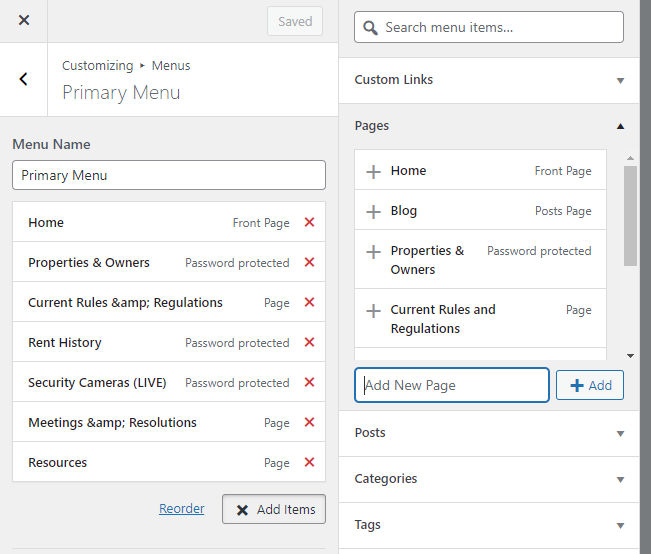
Click to “customize” the theme and then choose “Menus” > Primary Menu. There will be two pages by default: Home and Blog. If you are not creating a blog, you can delete the Blog page. Then, click “Add items” > Add New Page” and add as many pages as you like. You will then need to drag the pages from the right column to the menu in the left column.
4. Edit Pages
While still in the Customize view, you can preview the site in the right column and click on the various menu links you just created. For each page, you can click the “Edit” link which will take you to the page editor view.
5. Paste Images
The nice thing about the page editor is you can just paste images where you want them and WordPress will upload the images for you. There’s no need to have an image file on your computer and then browse to it to upload it.
6. Password-protect Pages (Optional)
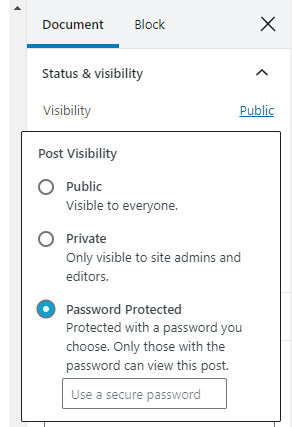
If you want to password protect some pages, then in the right column of the page editor view, click Document > Public > Password Protected and type in a password.
Once you publish your site, password-protected pages will appear as follows:
Once you enter the password, you’ll have access to the page’s content.
7. Publish
Now, you can click the “Publish” button to publish new page and the entire site. The site will be accessible at XXXX.wordpress.com where XXXX is customizable. You can also pay to buy a custom domain and link it to your new site.
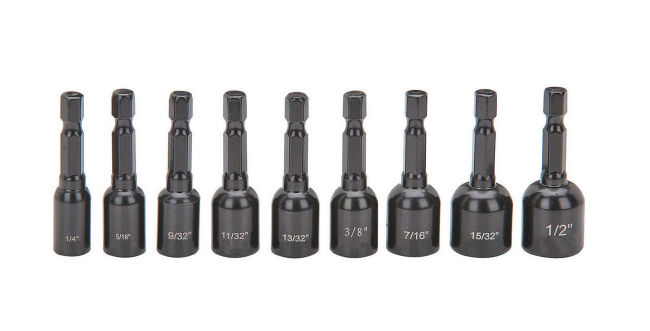
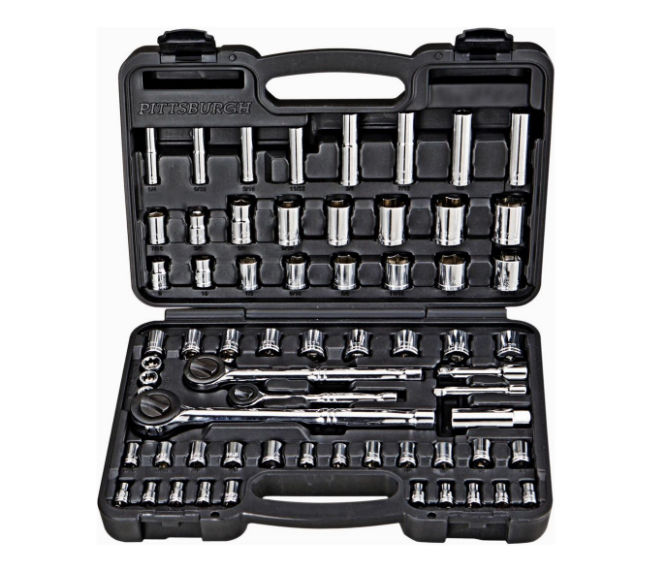
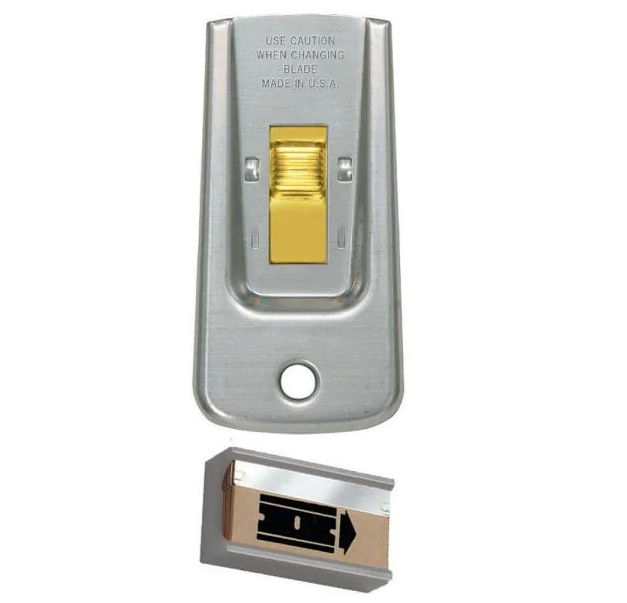
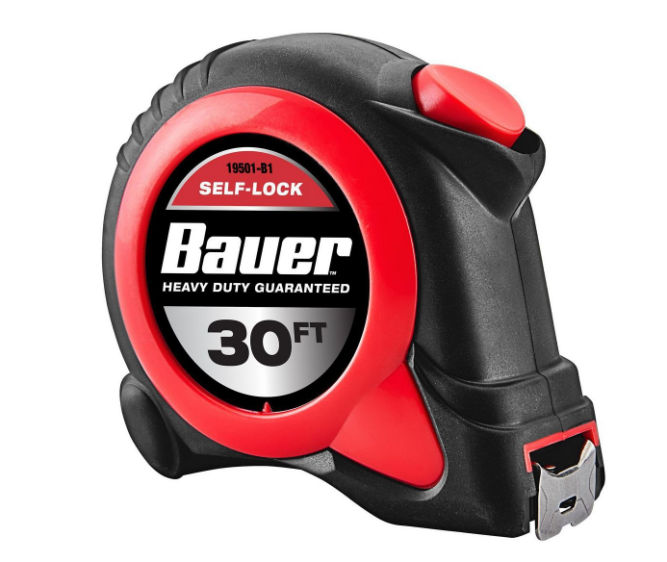
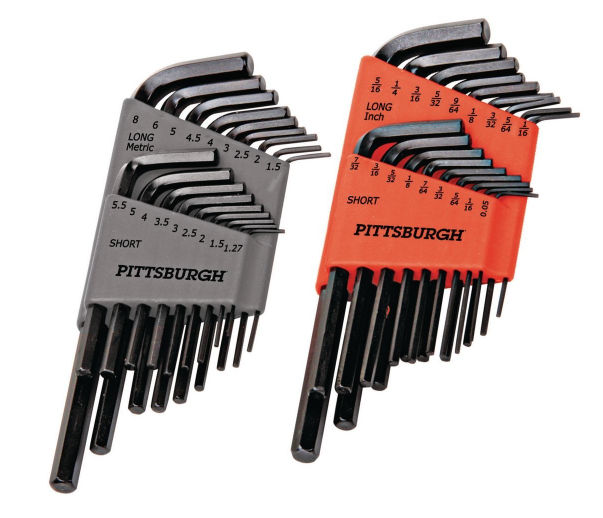
Here’s a list of the minimum tools I think a DIYer would need. To keep costs low, I chose tools that had good reviews but were not necessarily brand name.
Power Tools
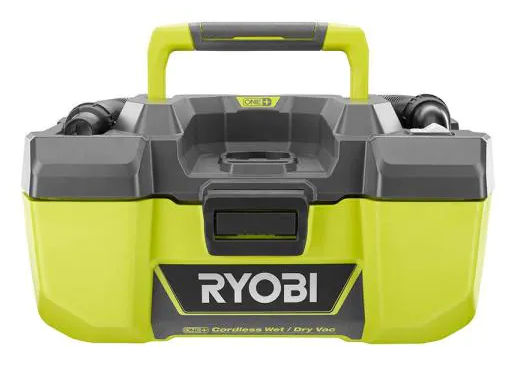
Since it’s cheaper to buy a bundle, I picked this bundle of 12 tools. Not all are essential like the brad nailer but since you can save $259 with this bundle, it doesn’t matter. Also, Ryobi has the most battery-powered tools which is a big plus.
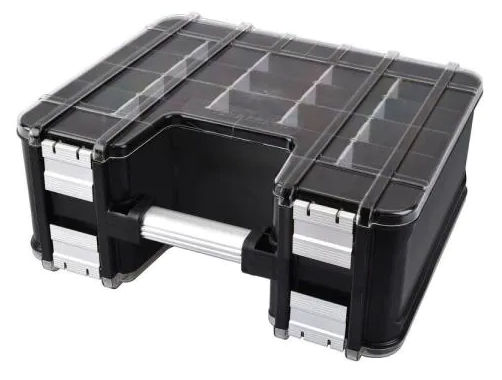
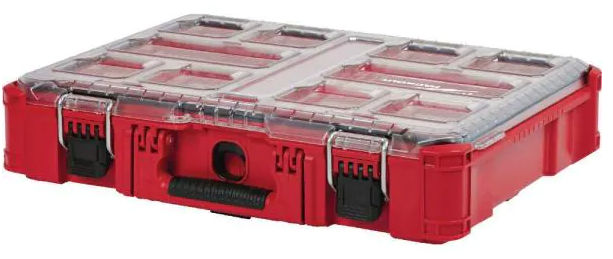
The Husky organizer above is good but the latches can easily open on their own possibly causing everything to fall out. A better but much more expensive option would be to buy one or two of the Milwaukee organizers below.
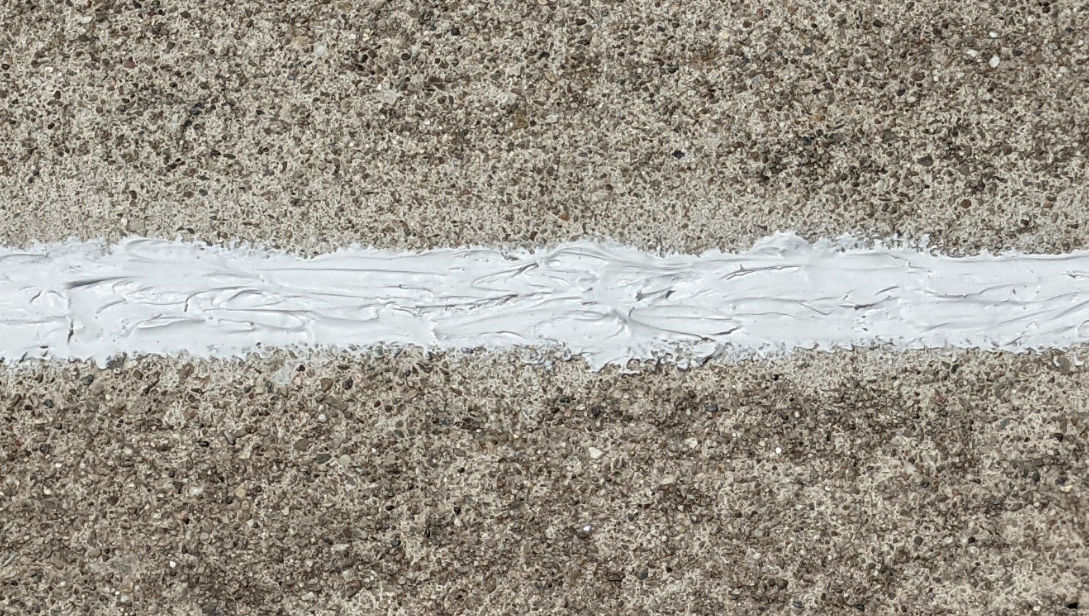
We’ve all seen them. Weeds. Along your concrete driveway expansion joints. Many, if not most, people will just remove the weeds only for them to grow back as soon as it rains. So, why do weeds grow along these lines? Apparently just a little bit of dirt that makes its way into these gaps is enough to cause weeds to grow. I’ve had enough of these weeds growing every year so here’s my attempt to resolve this annoyance once and for all.
Remove Weeds
To remove weeds, you can use an oscillating tool, a small reciprocating saw, or even a utility knife or flathead screwdriver. Since I like doing things the quick and easy way, I use an angle grinder with a wire wheel.
To prevent kickback and potentially hurting yourself, stand perpendicular to the direction the wire wheel rotates.
If you need to enlarge some gaps or smoothen them out, you can use an angle grinder with a diamond blade.
Fill Gaps
Now, my driveway has gaps that are small (1/4″), medium (1/2″) and wide (3/4″ – 1″) in width and the depths range from 1/4″ to maybe 3″ deep. The small and shallow gaps are usually not a problem.
At first, I thought about filling some small gaps with Sakrete Concrete Crack Filler since the driveway is made of concrete.
Concrete Crack Filler
I tried this on a small gap and product was very easy to apply and it settles nicely producing a nice bead.
However, it turns out you shouldn’t do that because apparently those gaps – called expansion joints or control joints – are by design so filling these gaps with concrete defeats their purpose. Concrete Crack Filler is good, however, if you do have a thin, natural crack (not expansion joint) because it hardens just like concrete.
Concrete Filler and Sealant
For horizontal surfaces or slightly sloped surfaces like your driveway, use Sikaflex Self-Leveling Sealant.
Foam
Now, for some of the larger gaps, it would be too expensive and wasteful to fill them with sealant. For those, I decided to use a foam gap filler.
Apply Foam
This stuff really does expand and is pretty sticky when wet. It’s great for filling large gaps. Of course, you’ll need to trim the foam in order to apply sealant. This can be done with a utility knife, a mini reciprocating saw, or, better yet, an oscillating tool.
I cut away the foam a little bit below the surface of the concrete to allow for a layer of sealant.
Apply Sealant
At first I bought the 10 oz sealant but because I wanted to seal all joints, I got the 28 oz sealant (cheaper) and a 29 oz caulking gun. As you can see below, the sealant self levels resulting in a nice, smooth finish.
Had I gone with non self-leveling sealant like Sikaflex Construction Sealant
then the result would look like this:
You could try to smoothen it out using a taping knife by why bother. This type of sealant is better for vertical surfaces.
Now, if you don’t like the look of a gray joint, you can color your driveway with Rustoleum Epoxy or Behr Granite Grip and the entire driveway will be the same color.
Sand
You can also sprinkle sand on the sealant to prevent debris from sticking to it while it dries.
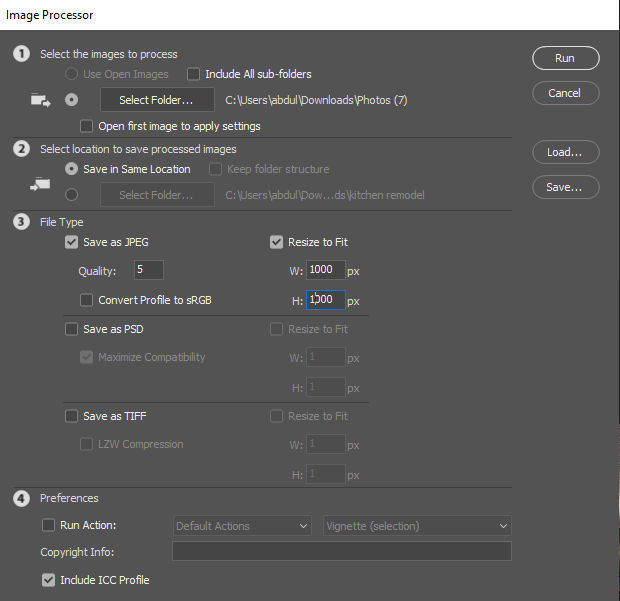
We often take pictures with our smart phones which may save photos at very high resolutions resulting in large file sizes. What if we want to quickly resize and compress these images for uploading to a website or sharing via email. One quick was is to use Photoshops Image Processor Automation Script.
File > Script > Image Processor
You’ll then see a dialog where you
select a folder containing the large images
select a location to save the processed images
check a file type (JPG) and optionally resize the image to fit within a specified width and height
Then, just click the Run button and Photoshop will do the work.
Though you can find baklava all over the world including in the US and the Middle East, I find that the best baklava is Turkish baklava. This should come as no surprise as you will find baklava shops on almost every street in Istanbul and probably all over Turkey. Since a main ingredient in baklava is pistachio, and the center of pistachio cultivation in Turkey is in the city of Gaziantep, some consider Gaziantep baklava to be the best. In 2013, Gaziantep baklava became the first Turkish product with a European protected designation of origin and geographical indication.
According to the Lonely Planet guide book on Istanbul, following are some of the best baklava shops there.
Karaköy Güllüoğlu Karaköy, Rıhtım Cad. Katlı Otopark Altı No: 3-4 Istanbul / Turkey T: +90 212 293 09 10
Köşkeroğlu Restaurant Kemankeş Karamustafa Paşa Mahallesi, Mumhane Caddesi, No 2/D, Beyoğlu, Istanbul – Tel: 0212 245 35 14
Kaşıbeyaz Baklava Nispetiye Mahallesi, Aytar Caddesi, No 31/C, Beşiktaş, İstanbul – Tel: 0212 281 10 50
Emiroğlu Baklavacısı Murat Reis Mahallesi, Nuh Kuyusu Caddesi, No 289/A, Üsküdar, İstanbul – Tel: 0216 334 58 26
Hacı Bozan Oğulları Bahçelievler Mahallesi, İzzettin Çalışlar Caddesi, No 13, Bahçelievler, Istanbul – Tel: 0212 575 49 49
Gaziantep Baklavacısı Küçükyalı Merkez Merkez Mahallesi, Rüştü Sarp Caddesi, No 25/A, Maltepe, Istanbul – Tel: 0216 417 71 20
Gaziantepli Altınoğlu Baklavaları Kadirga Liman Cad. 17, 34450 Istanbul, Turkey
I have personally tried Emiroğlu baklava and can confirm that it is one of the best. It’s got just the right amount of moisture unlike some other baklava which are too dry or wet.
One baklava shop you will most likely see in Istanbul is Hakkizade Hafiz Mustafa 1864. Their baklava is good but a bit too dry for my taste. Emiroglu is better.
If you’re on Google Fi and landed in a another country and turned off Airplane mode and you get no data, try the following (with wifi off so you don’t get confused).
Open the Google Fi App
The app should welcome you to the country you have just landed in. However, it may also say “You’re offline”.
Update Settings
Go to Settings > Network & internet > Mobile network >
Ensure “Mobile data” is enabled
Ensure “Roaming” is enabled
Click “Advanced” and disable “Automatically select network”. You will then see a list of local cellular networks. Some may be G, 3G and LTE. Pick one that works, preferably a faster one.
At this point, you should be able to connect to the internet on your phone.
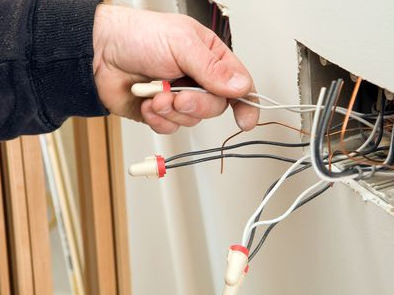
You’ve probably used wire nuts to splice electrical wires at home.
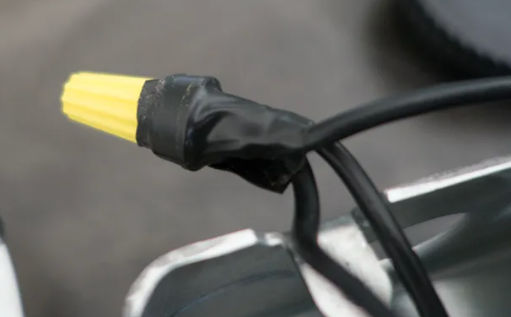
Though this works, the wires can become loose can cause a short circuit. Some electricians will wrap black electrical tape around the wire nuts but that’s messy and sticky.
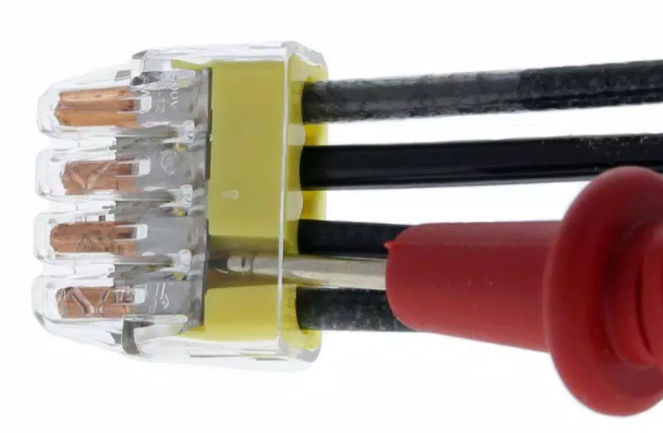
You could use In-Sure wire connectors which claim to support both solid and stranded wires but removing wires can be very difficult.
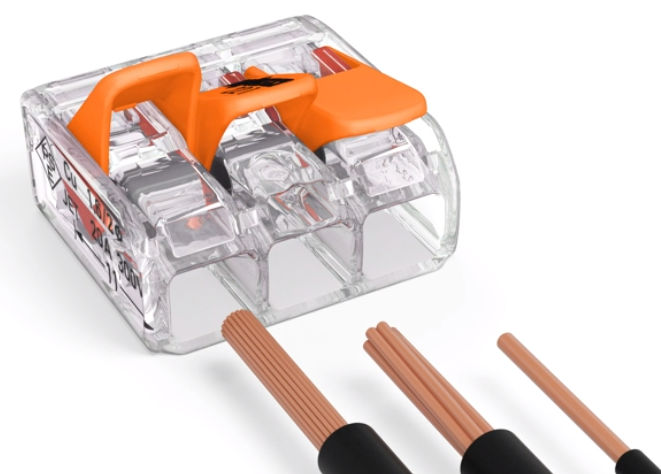
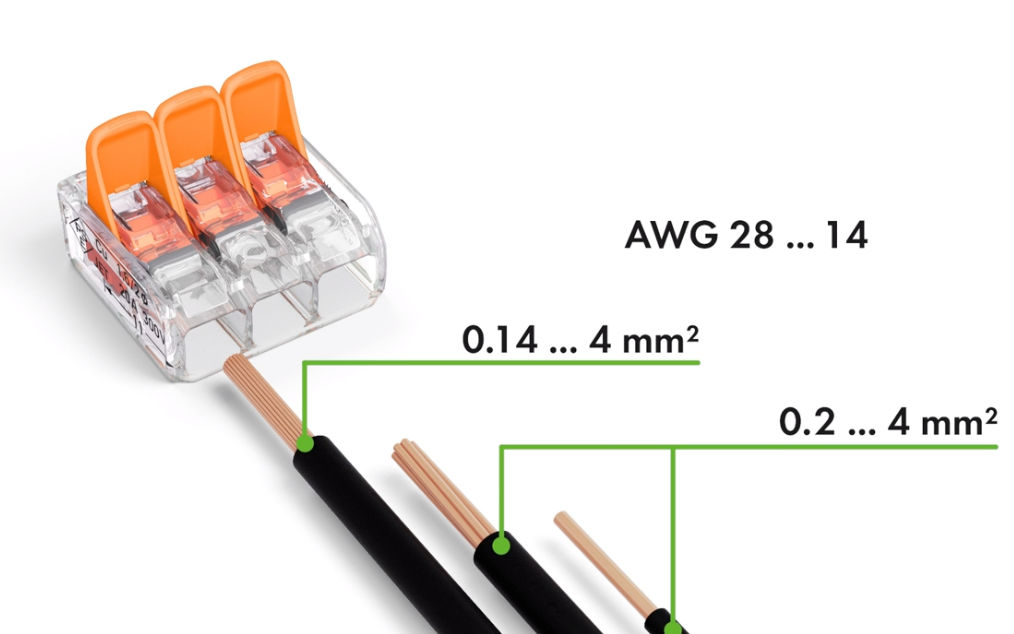
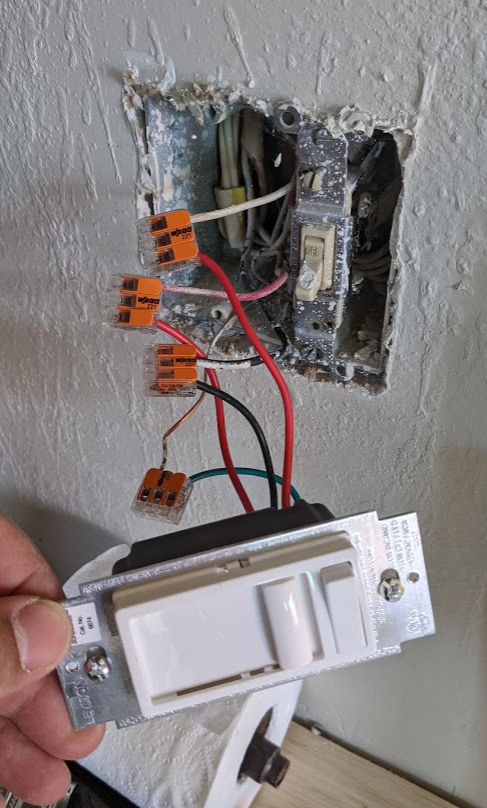
A better solution is to use Wago LEVER-NUTS Splicing Connectors. These connectors support both stranded and solid wires at various gauges and they are simple to use. Just strip the wire, insert it, and clamp down on the lever. To remove wires, just open the clamps. Not sure why The Home Depot doesn’t carry these but they are available on Amazon.
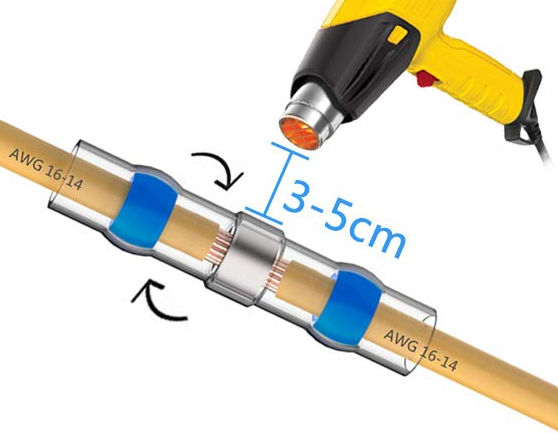
And if you need a more permanent connection, these solder seal wire connectors are great. No crimping or soldering necessary. Just
Strip the wires
Insert them into the connector as shown below
Melt the solder and the transparent heat shrink with a heat gun
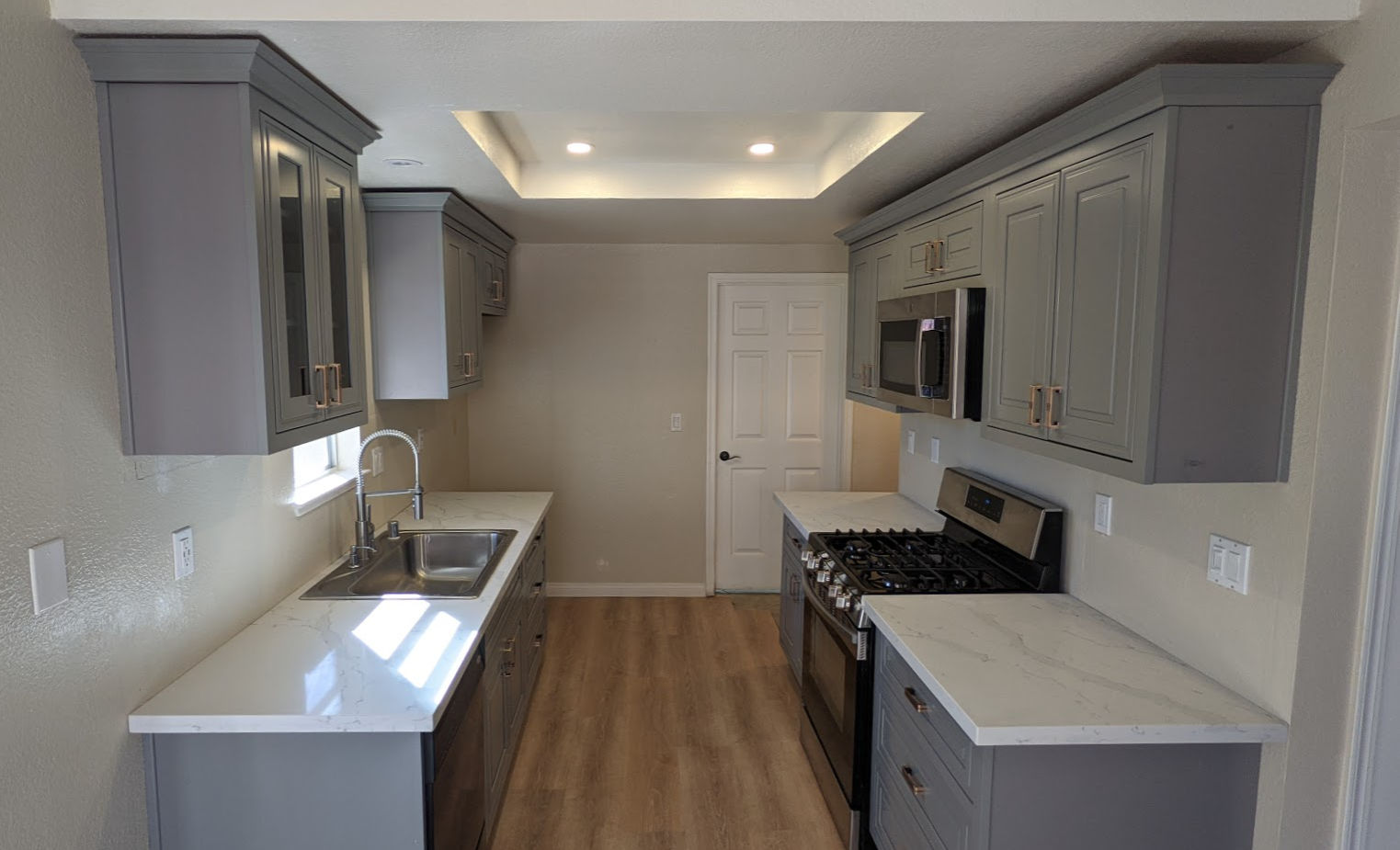
So, last week I renovated one of my rental properties. This included replacing an old kitchen from 1995 with a new one. Here’s an overview of the process.
1. Take a picture of and measure the old kitchen cabinets
I just drew the measurements in Photoshop. Note that the picture below is what the cabinets looked like in 2008. The remodel was done in 2021 and the cabinets were is much worse condition then.
2. Design and order new cabinets
Cabinet Prices
Cabinet prices can vary widely. Home Depot, for example, is expensive. HD Supply has cheap cabinets but they look cheap. IKEA’s cabinets are mid-priced but you have assemble them. Chinese stores have cheap cabinets that look expensive. They also come pre-assembled. But, you have to inspect each cabinet before installing them because their quality control isn’t very good.
Cabinet or Drawers
There are base cabinets that sit on the floor and wall cabinets that are on the wall. Wall cabinets are always just cabinets with a swing out door. They are more expensive if the door has a glass window in it. Base cabinets can be regular cabinets or have drawers. If they are just cabinets, then you’d have a hard time reaching for items in the back of them. If they are drawers, then you can just slide out the drawers to access anything in them. Since drawers require more material and come with sliding mechanisms, they are more expensive then drawers.
Types of Cabinets
2D / 3D Design
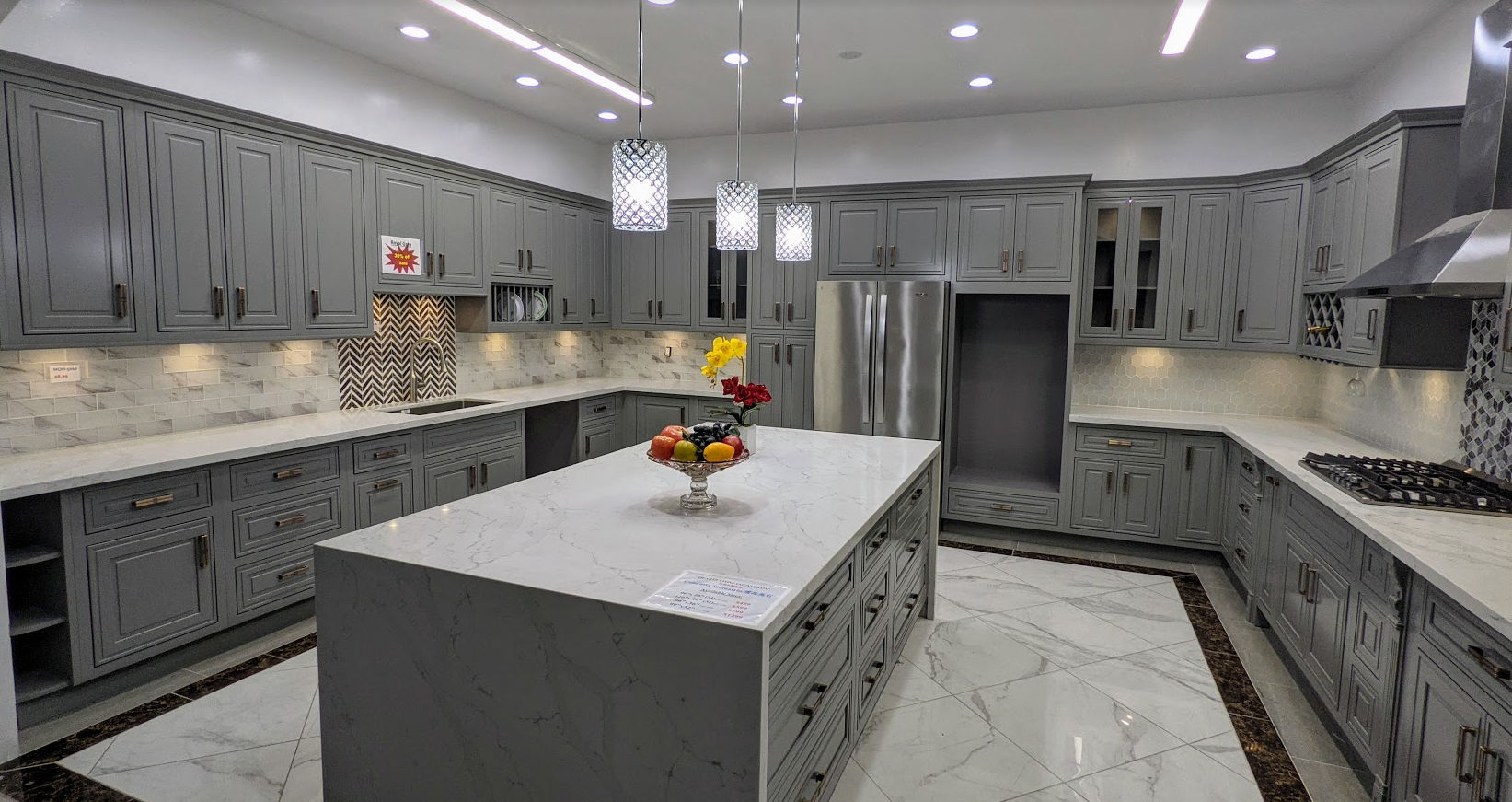
I ended up just buying the cabinets from a Chinese store (warehouse) called Uni Tile & Marble.
I ended up choosing solid gray color cabinets. This is because the house is a rental house and tenants somehow ruin the surface of the cabinets, I can later just easily repaint the cabinets. This is what the cabinets look like in the showroom.
Countertops
For the countertop, the one on display was off white with a random gray design.
It contrasted well with the gray cabinets and looked exotic but it was also more expensive than other countertops on offer. I decided to go with a cheaper countertop ($300 per 8 foot slab) but my tenant offered to pay the difference for the more expensive countertop so I ended up getting the more expensive one.
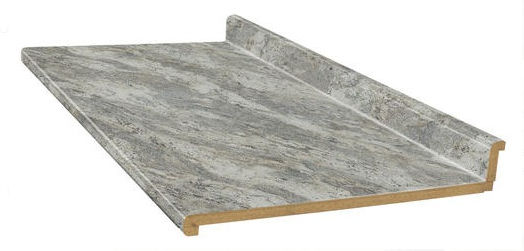
Quarts countertops are super heavy and require special handling and are not easy to cut. I ended up paying the store to transport and install the countertops. If you’re looking for a cheaper DIY option, you can just buy cheap laminate countertops at the Home Depot and use a simple jigsaw to cut out the sink hole.
Sinks
For the sink, I prefer the large single basin type. Even though they’re available at Chinese stores, Chinese stores then to have outdated return policies with unreasonable restocking fees (25%) so for these types of items, I buy them at the Home Depot or Lowes.
Faucet
For the faucet, I definitely prefer the type in the picture below. It makes it easier to spray and clean the entire sink or whatever else you are washing / cleaning.
3. Pick Up New Cabinets
I could have had the cabinets delivered for a ridiculous $200 fee but since I need to dispose of the old cabinets, I decided to rent a 10′ U-Haul box truck to both pick up the new cabinets and transport the old cabinets to the dump.
A 10′ box truck was big enough to lay all cabinets on the truck bed.
The house were the cabinets will be installed.
4. Demolish Old Cabinets
The old cabinets were original to the house from 1995. They were definitely low quality cabinets. They were just screwed into the wall. Some sections were large so I used a Milwaukee Monster sawzall to cut cabinets in half.
5. Dispose of Old Cabinets
Since we had the truck for 24 hours, we loaded the old cabinets and other construction debris in it
and took it to the dump where I paid $138 to dump it all.
6. Prepare Wall
After removing the kitchen cabinets, the walls needed to be patched up and painted.
First, we enlarged some of the holes in the wall by cutting with an oscillating tool. The holes were shaped like rectangles where vertical edges would be along the center of studs. This would allow us to screw drywall nails through them into the studs. Cutting drywall was easy using a small, cordless reciprocating saw.
We then patched crevices with spackling paste.
After waiting for the spackling paste to dry, I then used an orbital sander to smoothen the wall surface.
I then sprayed wall texture to try to match the texture of the existing wall. This didn’t work well as the material was often clogging up. Next time, just use an air compressor with an actual texture sprayer gun.
I then painted the ceiling Swiss Coffee.
And painted the walls Roman Plaster.
I then touched up the corners where the two colors met. Semigloss paint was used to make cleaning easier.
7. Mark Walls
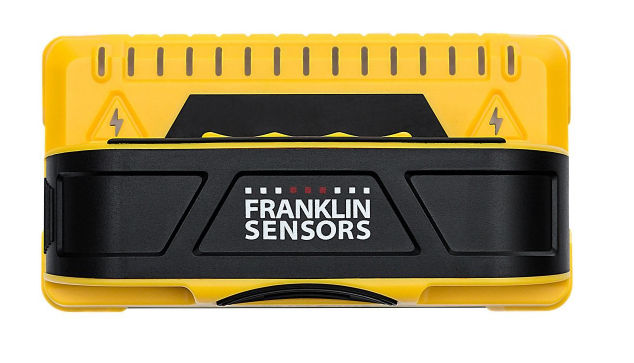
After the paint dried, we marked where all the studs in the wall were using a stud finder and then marked level (horizontal) and plumb (vertical) points using a laser level.
Then, we connected the points and drew outlines for where the cabinets would go. Note that the distance between the countertop to the bottom of the wall cabinets should be 18 inches.
8. Install Cabinets
We then installed the wall cabinets first. To facilitate this, we screwed a 2×4 to the wall so we could sit the cabinets on it while we screw the cabinets into the wall. If a cabinet didn’t span 2 studs, we’d use drywall anchors.
If walls or floor are not level or flat, use shims.
9. Install Cabinet Handles
To facilitate installing the cabinet handles perfectly, we bought a plastic template / jig. It did not work for drawers, though, so for drawers, we made our own jig.
10. Install Microwave
Since the microwave goes above the range, we installed that next. This required cutting holes in the cabinet above it for bolts and the vent.
11. Install Plywood on Base Cabinets
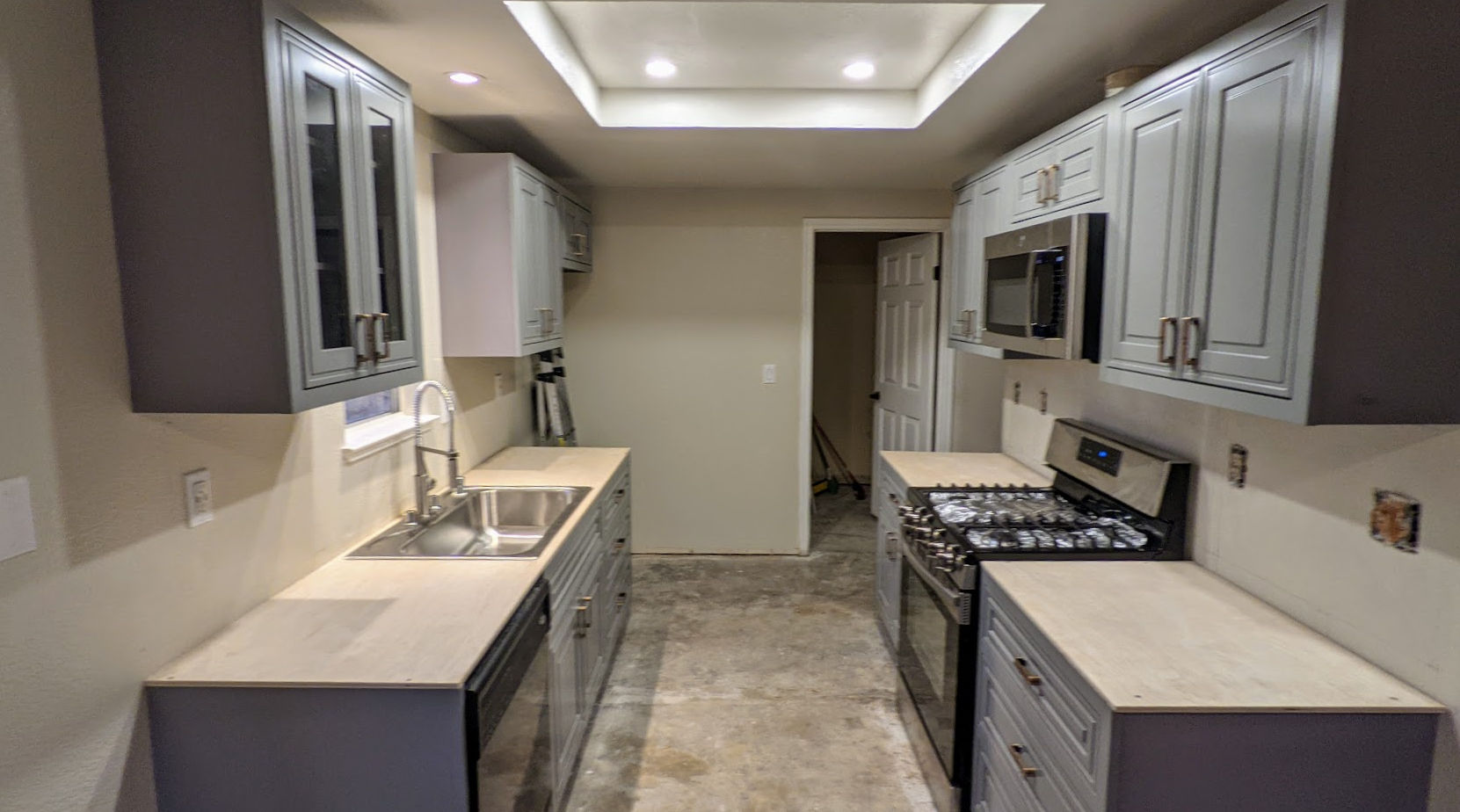
We then cut plywood and screwed it to the base cabinets.
12. Install Sink
We then cut a hole in the plywood for the sink using a mini circular saw for the straight sides and a jig saw for the corners. Then we installed the faucet, soap dispenser, dishwasher air gap, and garbage disposer to the sink and then installed the sink. This was done before installing the countertop because the countertop would not be ready for another 2 weeks.
I just got a top mount sink that includes the faucet holes rather than an undermount sink. This simplified installation.
13. Install Crown Molding
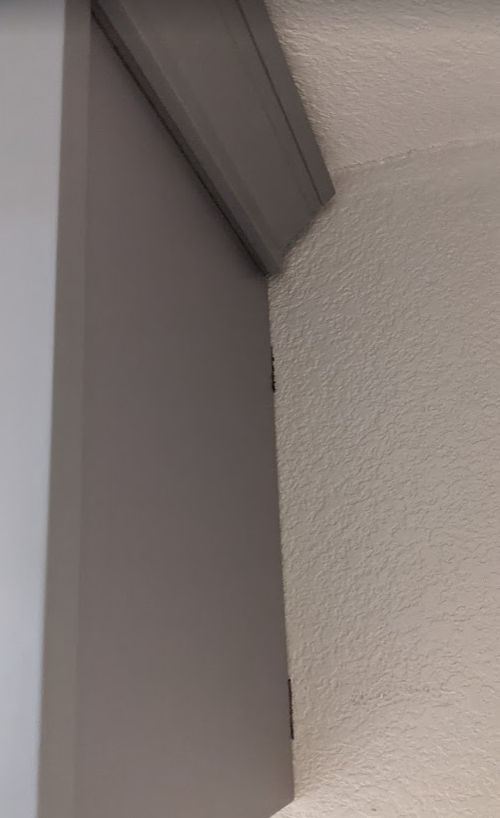
We then installed the crown molding. This was very tricky for a couple of reasons.
depending on the shape of the top of your wall cabinets and the shape of your crown molding, there may not be enough surface area to shoot finish nails into or there may not be enough clearance to shoot nails from above
cutting miter angles can be tricky and holding the crown molding down on the miter saw the same way isn’t easy.
Cutting the crown molding
Fortunately for this project, we only needed 45 degree cuts. But, we messed up a few times at first and wasted some expensive molding. Here are some tips to cut crown molding easily and correctly each time.
Label the surface of the miter saw “TOP” to remind yourself that the top of the crown molding should be facing down and the bottom of the molding flat against the fence.
Find a way to secure 2 pieces of wood to the sides of the miter saw.
Place your crown molding against the fence and then screw a piece of plywood or wood board to the two pieces of wood on each side of the miter saw. This allow you to put the crown molding on the saw at the same angle every time ensuring perfect cuts.
Installing the crown molding
For our particular case, we decided to secure the crown molding to thin plywood using small screws. We then lifted it and let it sit on top of the wall cabinets – no further screwing or nailing necessary.
14. Install Baseboard and Trim Molding
We then cut the baseboard and trim molding to length and shot them into the cabinets using a finish nailer powered by an air compressor. The baseboard and molding were necessary to hide gaps between the cabinets and the floor and walls.
15. Install The Countertop
For the countertops, I decided to go with quartz instead of marble. Since it’s very heavy and tricky to cut and to smoothen the edges, I decided to just pay someone to install the countertops.
First, one of the 8 foot slabs was cut to go on each side of the range. I believe this was done using a diamond blade.
A thin strip of the excess material was cut to make a finished end. The strip was secured using a special epoxy glue.
The strip was then clamped down and the epoxy left to cure for a while.
The installer intentionally cut the slab and the thin strip to be longer than the final length so that after the strip was secured he could cut and trim the end where you see all the glue oozing out.
This resulted in a very clean joint. He then smoothened the end.
This is how the joint ended up looking (with some dust that would eventually be wiped off).
For the sink side, a hole was cut out.
To create rounded corners, the installer cut a bunch of lines at each corner.
And then using a flathead screwdriver, broke off the thin pieces.
And then used an angle grinder to grind away rough edges to create a smooth rounded corner.
They then glued the quartz countertop to the plywood.
And this is the end result.
Note that we also
replaced the flourescent tube light box with flat LED lights
painted the walls BEHR Roman Plaster (semigloss)
replaced the old style kitchen outlets and switches with new Decora ones including adding a dimmer for the very bright LED lights
replaced the linoleum sheet / vinyl tile flooring with LifeProof Dusk Cherry luxury vinyl planks.
Tools
This project was big enough that I ended up bringing most of my tools to the worksite.
If you have an electrical outlet or switch that isn’t working, here are some steps for debugging and fixing the issue. First of all, it’s important to understand the flow of electricity within a typical home.
Electrical Components and Electricity Flow
Electricity comes through a cable from your local utility to your house
That cable enters a circuit breaker panel on a wall
The circuit breaker panel contains many circuit breakers.
Each circuit breaker has electrical wiring to different parts of the house (kitchen, bedrooms, living room, bathroom, garage, etc). For example, below is a picture of electrical wiring from one circuit breaker in the panel going to 4 outlets. The wiring (or circuit) forms a loop. Electricity flows
from the panel
through the circuit breaker
through the black (hot) wire
through each outlet
through the white (neutral / return) wire
through each outlet
and back to the circuit breaker panel
The bare copper or green wire (ground) goes from each outlet to the circuit breaker panel and then to a rod stuck in the ground.
Each circuit delivers 120 V (volts) of electricity or 240 V depending on the use. Most circuits carry 120 V but electric ranges, electric water heaters and electric clothes dryers carry 240 V since they require more power to function.
Each circuit breaker is rated for a specific number of amperes (amps). Usually 20 A for circuits that require more power, e.g. kitchens, and 15 A for circuits that don’t require much power, e.g. bedrooms.
Circuits that require more power (e.g. 20 Amps vs 15 Amps) use thicker electrical wiring. The smaller the gauge number, the thicker the wire.
12 gauge Romex is rated for 20 Amps and is commonly yellow jacketed.
14 gauge Romex is still used in some applications and is rated for 15 Amps and is grey jacketed.
10 gauge Romex has an orange jacket and is used for water heaters or clothes driers.
The power (P) available to any particular circuit is determined by the voltage (V) running through it and the amps (A) the circuit breaker and the wiring support. The formula for power is P = VxI. So, if a circuit has 120 V and is rated for 15 A, then it supports a maximum power of 120 x 15 = 1800 Watts.
Each device (toaster, laptop, lamp, refrigerator, TV, etc) plugged into an outlet or is in a circuit draws power. The device will indicate how many amps it draws or power (in watts) is consumes to work. For example, below is a label on the back of a toaster oven. It requires 120V AC (alternating current, as opposed to DC, direct current) and it consumes up to 1200 W of power.
This toaster, which consumes up to 1200 W, can be used on a 15 A circuit because a 15 A circuit supports up to 1800 W of power. However, if two of these toasters were plugged in to the came 15 A circuit, then they’d both consume up to 1200 + 1200 = 2400 W which exceeds the power rating of the circuit. This would cause the circuit breaker associated with the circuit to trip and disconnect power to the circuit. Without the circuit breaker, the 15 A rated wiring would begin to melt due to the heat buildup and possibly catch on fire. If the circuit breaker turns off, you can toggle it back on.
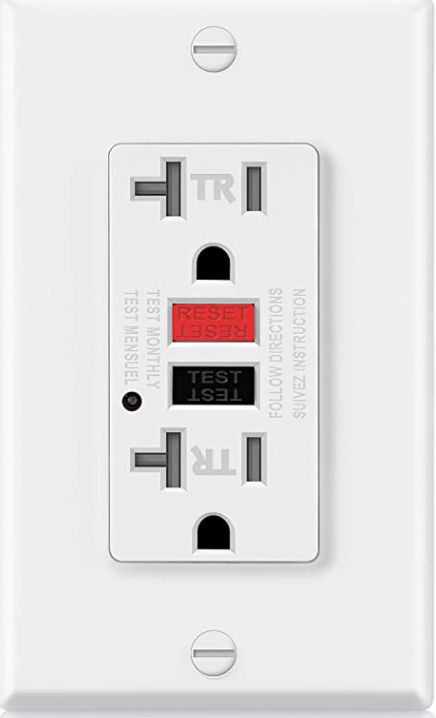
In the picture above, the first outlet is a GFCI (ground fault circuit interrupter) outlet. It behaves like a circuit breaker. If the total power drawn through the outlet exceeds its rating, e.g. 15 A or 20 A, then the outlet would disconnect itself from the circuit thereby rendering the entire circuit without power because it is the first device in the circuit. If a GFCI outlet turns off, you can push a button on it to reset it.
Debugging Electrical Outlets / Switches
Now that we understand basic home electricity, we can make a list of things to check for debugging a non-working outlet or switch or entire circuit.
Outlet not working
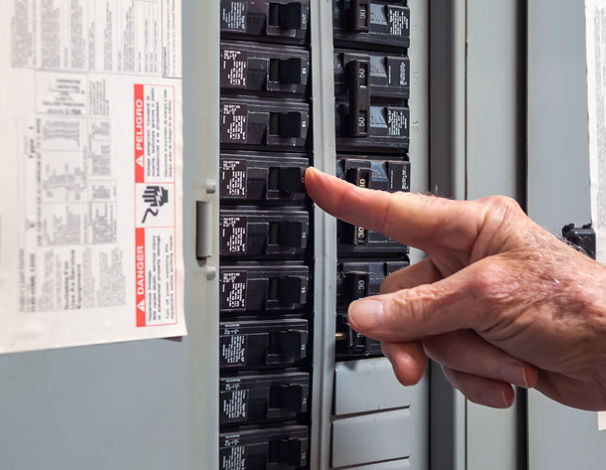
Check all circuit breakers in the circuit breaker panel. If any are off, turn them on.
If the outlet is a GFCI outlet, it may have been turned off. Push the RESET button on it to turn it on.
Check neighboring outlets to see if they are working or not as they may be on the same circuit as the outlet that isn’t working. If the neighboring outlets are not working, see if any are GFCI outlets. If any are, then push the RESET button to turn them on. A GFCI outlet that is off will cause downstream devices (outlets, switches, etc) to also be off.
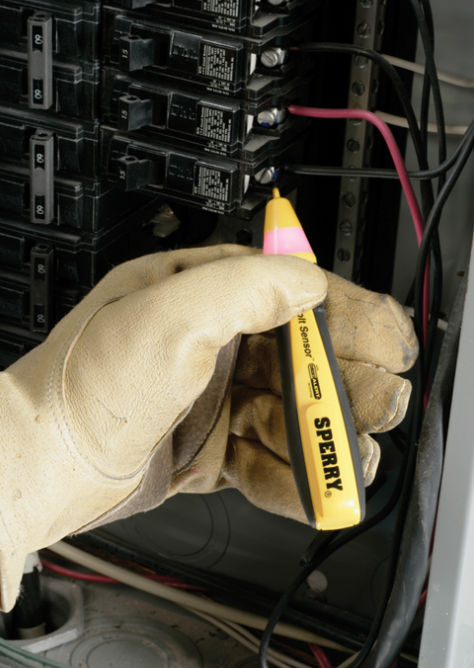
Using a voltage tester tool, test for the presence of voltage at each component (outlet, switch, circuit breaker). Some voltage testers will beep and/or show a red color when it detects voltage.
Try to determine which components (outlets, switches) are on a circuit and in what order.
Plug an outlet tester into the outlet to check whether the wires were installed correctly. For example, the outlet may have an open neutral meaning the white wire may be disconnected. Even if the black (hot) wire is connected, if the white (neutral) wire is disconnected, then the outlet, and all downstream outlets, won’t work. Using an outlet tester is the easiest way to test continuity in wires.
If an open neutral exists, open the outlet and verify the white wire is installed correctly. If the outlet tester still reports an open neutral, then the white wire may be loose or disconnected on the other end, e.g. at the circuit breaker. If the white wire is connected at the circuit breaker, then it could be disconnected somewhere in between both end points, which could happen if a rat chewed on the wire. In that case, new wiring needs to be added.
If the outlet tester reports an open ground (ground wire not connected), then the outlet will still work but it’s not safe to use.
Use the outlet tester on ALL outlets in a circuit. A disconnect in one outlet can cause all downstream outlets to not work.
In order for an outlet to work, electricity must flow from the black wire into the outlet and out from the white wire thereby creating a loop. The outlet tester is one way to check for continuity. Another is by using a multimeter. A multimeter can also be used to trace wires through walls to see to find each end point.
If an outlet sort of works, e.g. a light connected to it is dim or flickers, it could be because there are too many devices drawing too much power to it or the voltage in the circuit is too low, e.g. 85 V instead of 120 V. To determine the actual voltage on the line, you can use a multimeter.